
How to Update FivePD Without Losing Player Data
A repeatable FivePD update routine: back up the database, test on staging, deploy, verify and roll back cleanly - without losing ranks or records.
Most FivePD data loss does not happen when an update fails. It happens in the ten seconds after it fails, when a server owner overwrites the database “just to be safe” and wipes six months of player hours, ranks, and records with it. Updating FivePD is routine. Updating it carelessly is how servers empty out overnight.
This guide gives you a repeatable update routine: back up, test, deploy, verify, and roll back cleanly if anything goes wrong. Follow it and the worst-case outcome of a bad update is thirty minutes of downtime – not a restored-from-zero community.
Why FivePD updates break servers
FivePD is not a single file – it is a resource, a database, and a set of configuration files that all have to agree with each other. Updates break servers when those three drift apart:
- Database schema changes. A new FivePD build may expect new tables or columns. If the resource is updated but the database is not, callouts and player data start failing silently.
- Config key changes. Updates can rename or add config options. Copying your old config over a new release – or the defaults over your live config – breaks both directions.
- Resource folder naming. If the updated package arrives as
FivePD-mainbut yourserver.cfgstartsfivepd, the resource simply will not load. - Dependency conflicts. Other resources on the server can collide with a new FivePD version, which is why testing on staging matters.
None of these are hard to fix. All of them are hard to fix at 9 PM with forty players online – which is exactly when unprepared owners discover them.
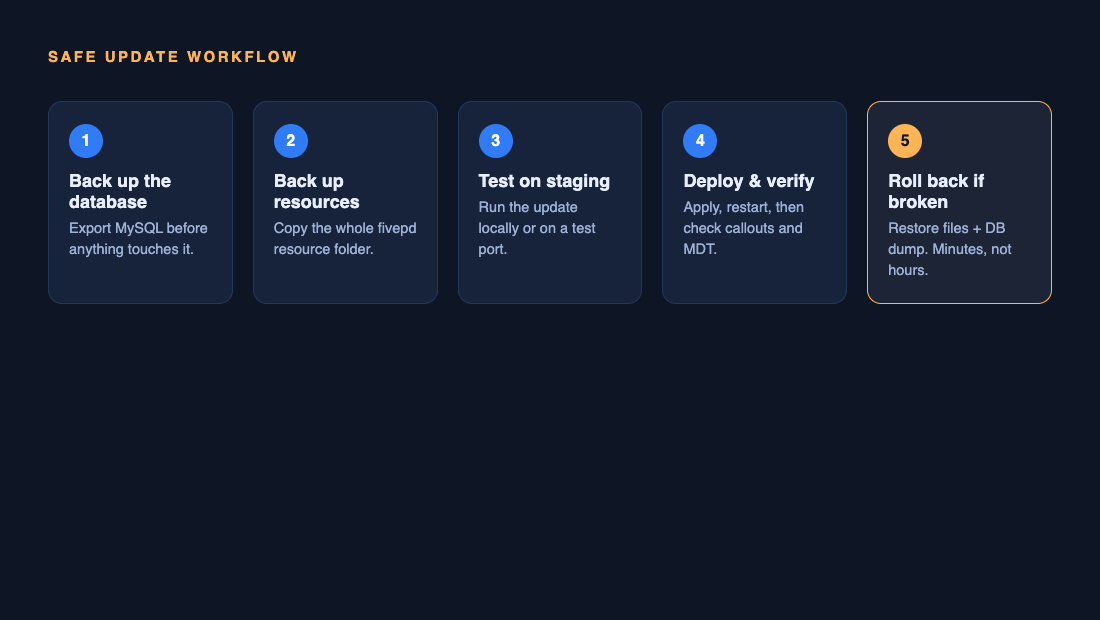
The 5-step safe update workflow
Every FivePD update, no matter how small, goes through the same five steps:
- Back up the database. Non-negotiable, always, even for “small” patches.
- Back up the resource folder. Your files plus your customized configs.
- Test on staging. Run the update on a copy of the server first.
- Deploy and verify. Apply to live, restart, then confirm the core loop works.
- Roll back if anything is wrong. A backup you cannot restore in minutes is not a backup.
Steps 1 and 2 are what make step 5 possible. Skip them and you are not updating, you are gambling.
Step 1-2: Back up before you touch anything
Two backups, taken in this order, before the update package is even unpacked:
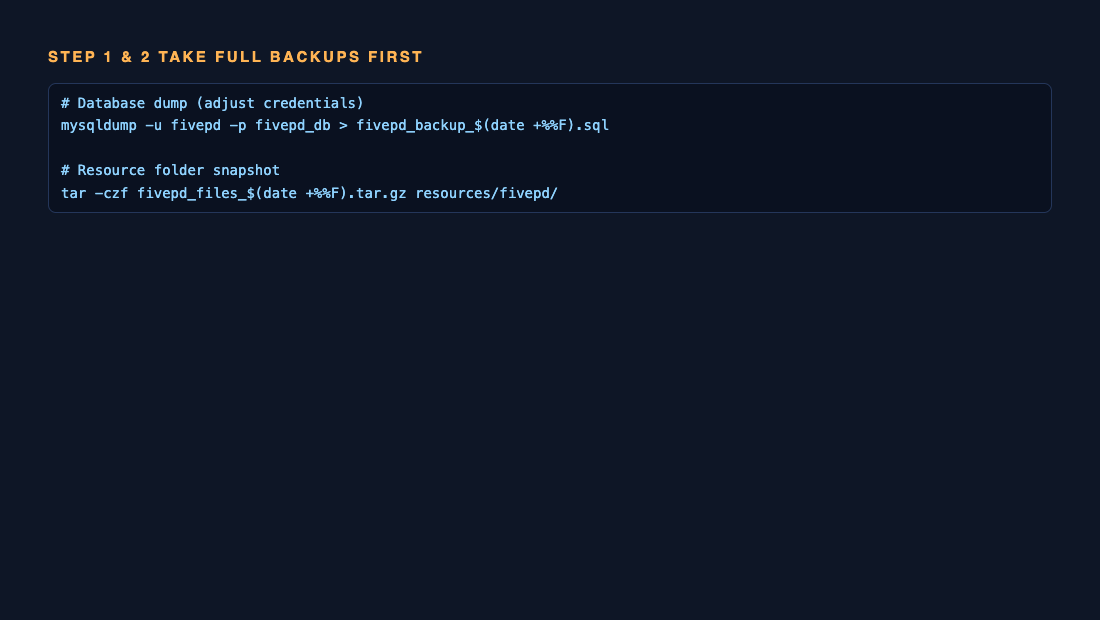
On a typical Linux host:
# Database dump - adjust user and database name to yours
mysqldump -u fivepd -p fivepd_db > fivepd_backup_$(date +%F).sql

# Resource folder snapshot
tar -czf fivepd_files_$(date +%F).tar.gz resources/fivepd/
On game hosting panels (ZAP, and similar), use the built-in database tool – most ship phpMyAdmin or a one-click SQL export – and download the resource folder via the file manager or FTP. Keep both backups outside the server directory. A backup sitting in the same folder as a botched update has a short life expectancy.
Verify the dump actually works. Open the .sql file and check it contains your player tables with row counts above zero. An empty backup file has fooled more server owners than any FivePD bug.
Step 3: Test on staging first
Staging sounds corporate, but for FivePD it just means: run the update on a copy before the live server. Two practical options:
- Local test server. Unpack the updated resource into a FiveM server on your own PC, point it at a copy of your database, and patrol for twenty minutes.
- Second instance on the host. Many hosts allow a second server on another port. Clone, update, test.
You are testing four things: the server boots without errors in the console, you can spawn and take a callout, the MDT/police computer opens, and a test account still shows its rank and time. If your database was migrated by the update, the staging test is where you find out – with zero players affected.
Step 4: Deploy and verify
Deploy during a quiet window, not peak hours. Then verify before you announce anything:
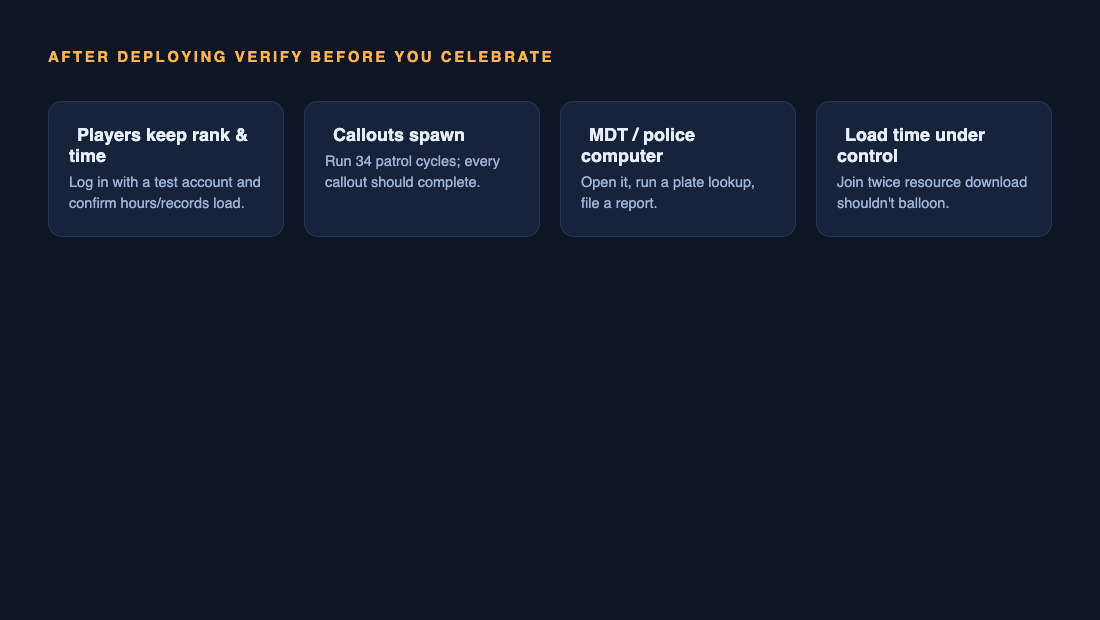
- Players keep rank and time. Log in with a test account that has history and confirm the records load.
- Callouts spawn and complete. Run several patrol cycles – not just one.
- MDT works. Open it, run a plate lookup, file a report.
- Load times are normal. Join twice. If the resource download balloons, something in the package changed size or structure.
Announce the update to your community only after all four pass. “Updated and stable” beats “updated and please report bugs” every time.
Step 5: Roll back cleanly if needed
If verification fails and you cannot fix it in ten minutes, roll back – in this order:
- Restore the resource folder from your tar archive.
- Restart the server and check whether the problem is gone. If yes, stop here – the issue was the files, not the data.
- Only if the database was changed: restore the SQL dump. Drop the affected tables and re-import, or import into a fresh database and repoint your config.
The order matters because file restores are instant and safe, while database restores discard legitimate progress made between the backup and the rollback. Restoring the DB “just in case” throws away real player data for no reason.
Common mistakes
- Overwriting your customized config with the defaults. Keep your own
config.json(or equivalent) in version control or a dated copy, and diff it against the new release instead of replacing it. - Skipping the database import when the release notes mention schema changes. The server may boot fine and break three days later when a player hits the missing column.
- Updating during peak hours. Every mistake costs three times as much when forty people are watching.
- No test account. Create one officer account with history specifically for verifying updates.
- Backups inside the server folder. Keep them on the host’s backup storage or your own machine.
FAQ
How often should I update FivePD?
When the release fixes something you are experiencing or adds something you want – not automatically on every release. A stable server that lags behind by one minor version is better than a broken server that is current. If you do fall behind, read the release notes for every skipped version before updating, since schema changes can stack.
Will my players lose their ranks if I update?
Not if you follow this workflow. Player data lives in the database, and the database is only ever touched by a backup and an explicit import – never by replacing resource files.
Can I update without database access?
If your host gives you phpMyAdmin or SQL export (nearly all FiveM hosts do), yes. If you genuinely have no database access, you cannot back up safely – ask your host for export access before updating anything.
Do I need to update my custom callouts too?
Callout add-ons are separate resources and are updated separately, but a FivePD update can change the APIs they rely on. Test one patrol cycle per installed callout pack during staging – if a pack breaks, check whether its developer has issued a compatible version before blaming the core update.
Running updates well is one part of keeping a server healthy. If you are still building the server itself, start with our guide on how to create a FivePD server, keep it fast with our FivePD server optimization guide, and if callouts misbehave after an update, our callouts troubleshooting guide covers the usual suspects.
Continue with a related guide
- FivePD status and reviewed sources
Check the scope of the source review and outstanding compatibility questions.
- FivePD help and version checks
Start with the installed version, the error and a minimal reproduction.
- FivePD server management
Plan hosting, maintenance and performance work.